
 Distribution PL · 4REF
Wipcool C1BW user manual
Read the entire manual before first use. Keep it for as long as you use the device.
Wipcool C1BW user manual
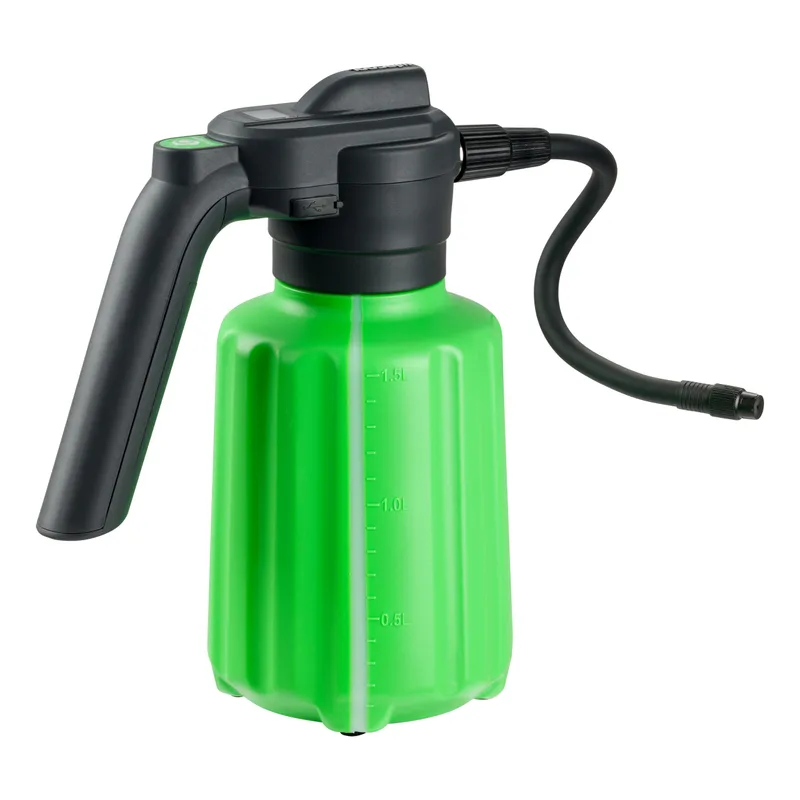
The Wipcool C1BW Cordless Sprayer is used to spray water and cleaning agents during service work in the air conditioning and refrigeration industry. It has a 1.5 l tank, a battery-powered micropump and a torch to illuminate the spray area.
The user manual is an integral part of the product. Please read this manual carefully and follow all instructions strictly.
General information
Wipcool products are designed for professional use by qualified engineers in the air conditioning and refrigeration industry. As the manufacturer, Wipcool stipulates that our equipment should only be operated by suitably qualified and trained personnel.
- ■Follow all local safety regulations and general safety standards when using the Wipcool C1BW Cordless Sprayer.
- ■The user manual should be kept near the device so that personnel can access it easily at any time.
- ■Before use, qualified personnel should read the user manual carefully and understand all the instructions it contains.
- ■The manufacturer accepts no liability for any damage resulting from improper use, failure to follow the user manual, lack of qualified personnel or any unauthorised modifications to the device.
- ■The general terms of sale contained in the sales documents apply.
Symbols and conventions
Signs and markings used on the device and in the manual:
- 01
 Warning - read the text in the box next to the symbol.
- 02
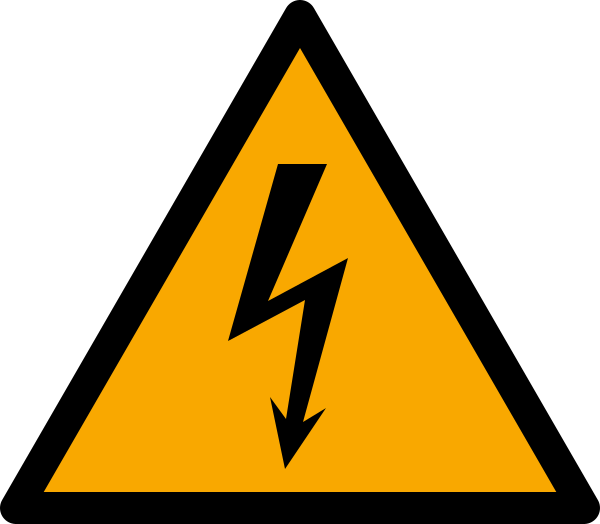 Dangerous voltage - risk of electric shock.
- 03
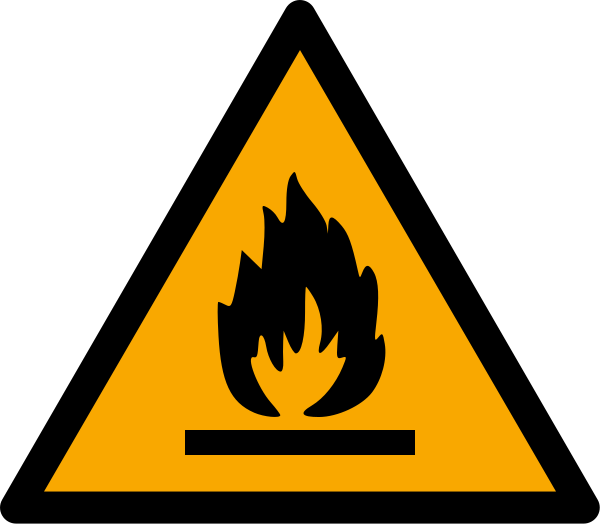 Warning of flammable materials and fire hazard.
- 04
 Notice - risk of damage to the device or an incorrect result.
- 05
 Indicates that the product meets the health, safety and environmental standards applicable in the European Union.
- 06
 Do not dispose of the sprayer with household waste.
Safety information
- ■Children must not use the device.
- ■Do not dismantle or modify the sprayer without authorisation. Unscrew the battery compartment cover in accordance with the ‘Connection’ section, ‘Installing the battery’ subsection.
- ■Use original manufacturer accessories.
- ■Do not use the sprayer without the inlet filter. Contaminants can block the pump, reduce pressure or stop the flow of water.
Technical specifications
Device diagram
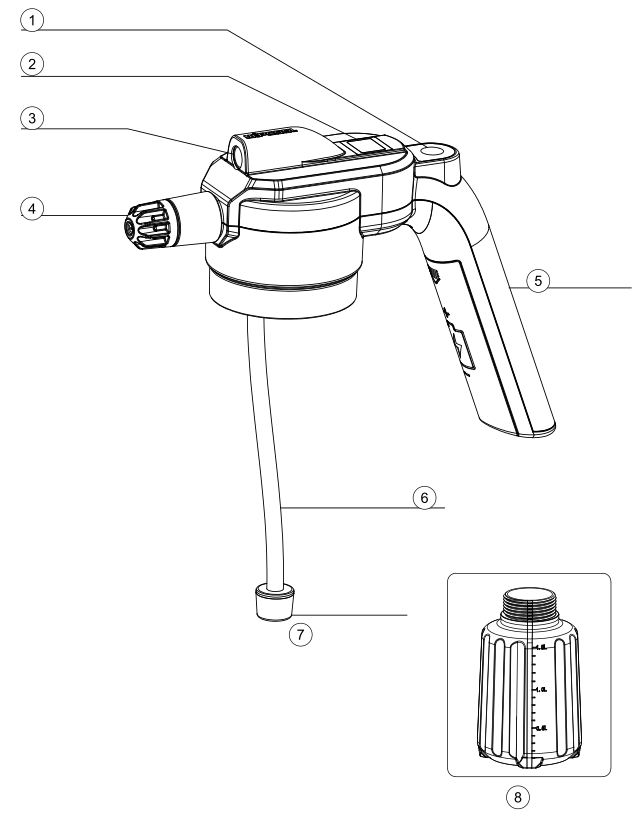
| No. | Part name |
|---|---|
| 1 | Power button |
| 2 | LCD display |
| 3 | Torch |
| 4 | Short nozzle |
| 5 | Handle |
| 6 | Suction tube |
| 7 | Inlet filter |
| 8 | Tank (1.5 l) |
Package contents
- ■C1BW cordless sprayer
- ■18650 lithium-ion battery, 3.7 V, 2000 mAh
- ■Flexible spray nozzle
- ■O-ring
- ■Seal
- ■USB-C cable
- ■User manual
After unpacking, check that the package is complete and in good condition. Report any missing items or transport damage to the seller.
Transport and storage
Transport
During transport, protect the device from shocks, impacts and excessive vibration, as well as moisture, dust and extreme temperatures.
Storage
Store the device at 5–40 °C in a dry, clean and well-ventilated place. Protect the sprayer from frost. Water frozen in the pump can damage the head and motor. Before storage, clean and dry the components as described in the ‘Maintenance’ section.
Application
The sprayer is resistant to acids and alkalis. It is used to apply coil cleaner concentrates and disinfectants to components of air conditioning and refrigeration equipment, including evaporators, condensers, fan impellers, filters, air supply grilles and hard-to-reach surfaces of units. You can bend the flexible spray nozzle and direct it between the coil fins or deep inside the fan impeller.
Connection
Installing the battery
Before first use, install a 3.7 V 18650 lithium-ion battery, then charge it fully.
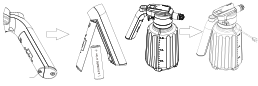
- 01Unscrew the battery compartment cover in the handle.
- 02Insert the battery according to the polarity markings, then tighten the cover.
Charging
- 01Charge through the USB-C port. Use a 5 V power supply rated at least 1 A.
- 02Connect the USB-C cable to the sprayer's charging port and to the power supply. The battery charge level is shown on the LCD display.
- 03Disconnect the USB-C cable when charging is complete.
When the battery is nearly discharged, the protection circuit automatically stops the sprayer. Charge the battery.
How to use
Filling and spraying
- 01Before use, check the condition of the housing, tank, nozzle, inlet filter, suction tube and charging cable. Do not use the sprayer if any component is damaged.
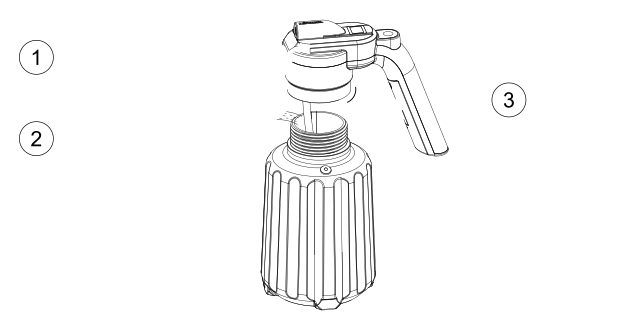
- 02Unscrew the tank and fill it with water or a spraying solution. Do not exceed the level marked on the tank scale.
- 03Screw the tank onto the head, ensuring that the threads are correctly aligned and the connection is sealed.
- 04Press the power button to start spraying. Hold the sprayer steady during use. The sprayer switches off automatically after 7 min of operation.
- 05Turn the tip of the short nozzle to select a wide mist or a focused jet.
| No. | Description |
|---|---|
| 1 | Unscrew the tank |
| 2 | Fill the tank |
| 3 | Tighten the tank |


Finishing work
- 01When you have finished work, if spraying is still in progress, press the power button to stop it.
- 02After using a chemical, empty the tank, fill it with clean water and flush the cordless sprayer by spraying clean water.
Torch
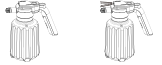
Press the power button twice to switch the torch on or off.
Maintenance
Cleaning
Clean the housing with a soft, dry or slightly damp cloth. Do not clean the housing with alcohol, petrol, solvents or corrosive agents.
Rinsing and inspecting operating components
After each use, flush the sprayer with clean water, switch it off and empty the tank.
- 01Check the inlet filter, suction tube and short nozzle. Rinse the inlet filter with clean water and remove any dirt; if spray performance drops, clean or rinse the short nozzle.
- 02Allow the components to dry before storage.
Battery during storage
Do not leave the battery completely discharged for an extended period. If you do not use the sprayer for an extended period, recharge the battery every 2–3 months.
Troubleshooting
- 01
 The low battery indicator flashes on the LCD displayLow battery charge - Charge the battery.
- 02
 The motor protection symbol appears on the LCD displayThe motor overload protection has been triggered - Press the power button. The symbol will disappear.
- 03The LCD display shows 100% during charging, but the sprayer does not work after the cable is disconnectedThe battery is damaged or loose, or the power button is damaged - Check the flashing pattern of the protection symbol. Irregular flashing means that the battery may be damaged or loose, while regular flashing means that the power button may be damaged. Arrange a repair with the service department - submit a service request at wipcool.pl/serwis.
- 04The power button does not work after the battery is replacedThe battery needs to be activated or has been installed incorrectly - Connect the sprayer to a power supply to activate the battery. If the power button still does not work, remove the battery, press the power button, then reinsert the battery.
Waste electrical and electronic equipment
- 01The crossed-out bin symbol means that the device must not be disposed of with other waste at the end of its life.
Under the applicable regulations on waste electrical and electronic equipment, products marked with the separate collection symbol must not be disposed of with other municipal waste. Because they contain harmful substances, electronic products that are not sorted separately can be hazardous to the environment and human health. Proper separate collection of waste electrical and electronic equipment prevents adverse effects on the environment.
By taking waste equipment to a collection point, you contribute to its reuse, recycling and recovery.
Recycling - one method of protecting the environment. The process of recovering substances from waste that can be reused as raw materials.
Waste recovery - the use of waste that has lost its useful value, such as plastics, paper and cardboard, as secondary raw materials (the term is also commonly used to mean destruction).
Information about the collection system for waste electrical and electronic equipment
- ■Waste electrical and electronic equipment must not be disposed of with other waste.
- ■The collection of incomplete electrical and electronic equipment and parts from waste equipment is prohibited.
- ■A distributor delivering equipment intended for households to a purchaser must collect waste household equipment free of charge at the place of delivery, provided that the waste equipment is of the same type and performs the same function as the equipment delivered.
- ■You can hand over waste equipment to a waste equipment collector, a treatment facility or a municipal waste collector in your municipality.
- ■Information about collection points is available on the Public Information Bulletin (BIP) websites of regional marshal's offices and city and municipal offices.
Batteries
- 01The crossed-out bin symbol on a battery means that it must be collected separately from other waste at the end of its life. It must not be disposed of with municipal waste.
- ■Take used batteries to a collection point. If possible, remove them from the device before taking it for collection.
- ■Substances in batteries can harm the environment and health, especially if a battery is damaged or leaking. Separate collection enables them to be processed safely and raw materials to be recovered.
- ■The marking Cd or Pb below the bin symbol means that the battery contains more than 0.002% cadmium or more than 0.004% lead.
Service and documents
Before submitting a service request, prepare:
- ■Model - shown on the device nameplate and on the invoice.
- ■Serial number - if there is none, provide the production number (e.g. 11/2025), usually found on the underside of the device.
- ■Proof of purchase - an invoice or receipt from an authorised distributor.
- ■Description of the fault - what is happening, when it started and under what conditions.
You can submit a service request at wipcool.pl/serwis. The warranty terms are also available there.