
 Distribution PL · 4REF
Wipcool C10BW user manual
Read the entire manual before first use. Keep it for as long as you use the device.
Wipcool C10BW user manual
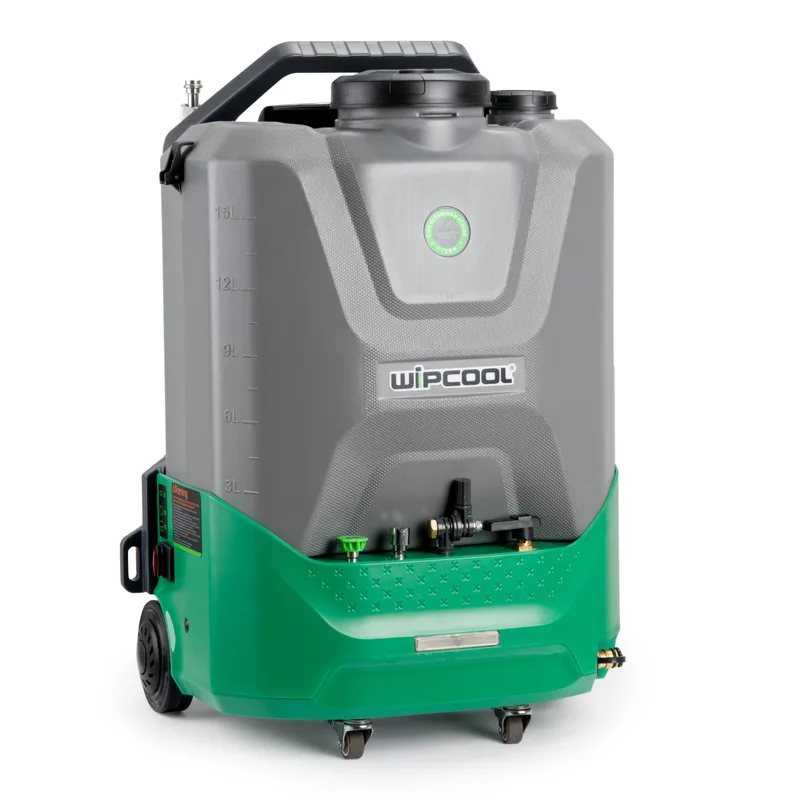
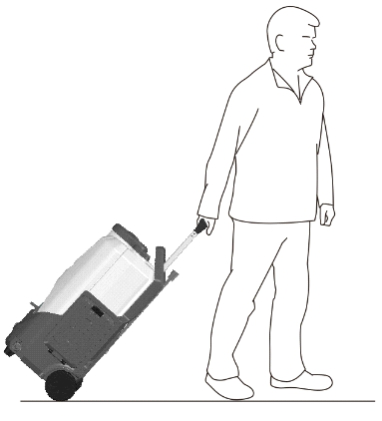
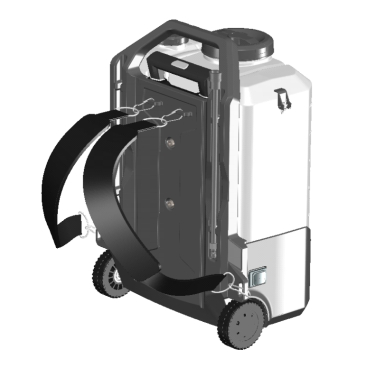
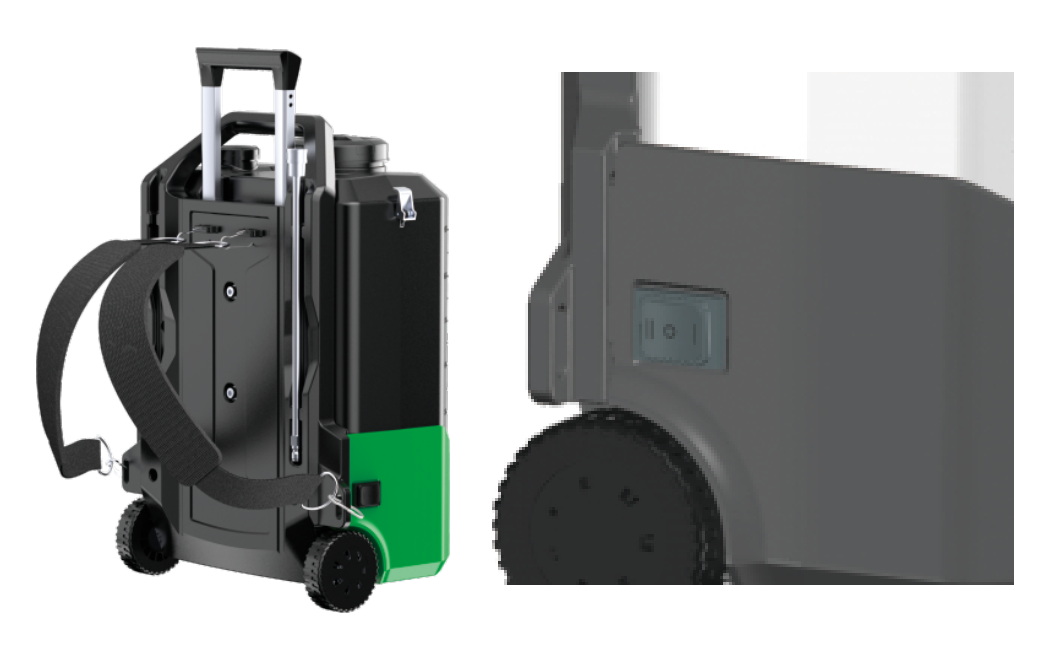
The Wipcool C10BW Pressure Washer is designed to clean coils and heat exchangers in air conditioners and small refrigeration units. Wheels, a telescopic handle and shoulder straps allow the unit to be transported.
The user manual is an integral part of the product. Please read this manual carefully and follow all instructions closely.
General information
Wipcool products are designed for professional use by qualified air conditioning and refrigeration engineers. As the manufacturer, Wipcool stipulates that our equipment should only be operated by suitably qualified and trained persons.
- ■Follow all local safety regulations and general safety standards when using the Wipcool C10BW Pressure Washer.
- ■The user manual should be kept near the unit so that personnel can access it easily at all times.
- ■Before use, qualified personnel should read the user manual carefully and understand all the instructions it contains.
- ■The manufacturer accepts no liability for any damage resulting from improper use, failure to follow the user manual, lack of qualified personnel or any unauthorised modifications to the unit.
- ■The general terms of sale contained in the sales documents apply.
Symbols and conventions
Symbols and markings used on the unit and in the manual:
- 01
 Indicates that the product meets the health, safety and environmental standards applicable in the European Union.
- 02RoHSThe product meets the requirements for restricting the use of hazardous substances.
- 03
 Do not dispose of the pressure washer with household waste.
- 04
 Warning - read the text in the box next to the symbol.
- 05
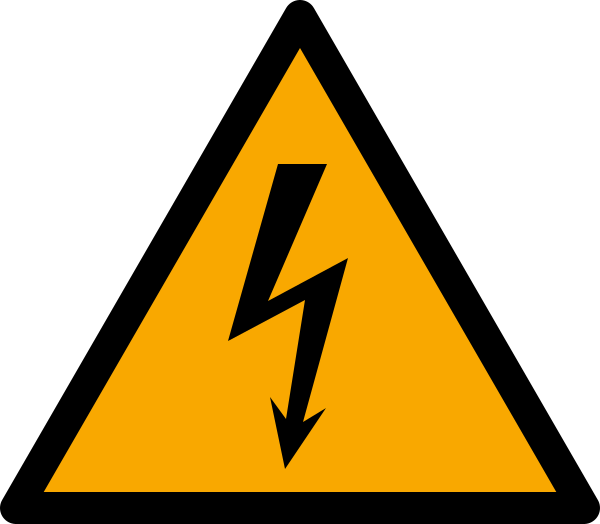 Dangerous voltage - risk of electric shock.
- 06
 Warning of flammable materials and explosion hazard.
- 07
 Wear eye protection.
- 08
 Wear protective gloves.
- 09
 Notice - risk of damage to the unit or an incorrect result.
Safety information
- ■Work in a well-ventilated area. Keep children and bystanders away from the work area.
- ■Stay alert while working. Do not use the unit when tired or under the influence of alcohol, drugs or medication that affects your ability to operate it.
- ■Maintain balance and secure footing. Do not overreach or stand on an unstable surface.
- ■The pressure washer is heavy when full. When carrying it using the shoulder straps, avoid sudden movements.
- ■Do not use the unit if it is damaged or malfunctioning. Do not remove the housing cover or dismantle the pressure washer.
- ■Use only approved accessories and spare parts. Carry out the maintenance described in this manual.
- ■Before assembly, maintenance or servicing, switch off the pressure washer, remove the battery or disconnect the BC-18 converter and press the spray gun trigger to release the pressure in the outlet hose.
- ■Do not spray the pressure washer with water or chemicals or immerse it in water. Protect electrical components from water.
- ■Use the pressure washer at an ambient temperature of 5–50 °C.
- ■Do not use water above 40 °C.
Technical specifications
The pressure washer is sold without a battery. A suitable battery adapter can be used; the optional BC-18 converter allows mains operation.
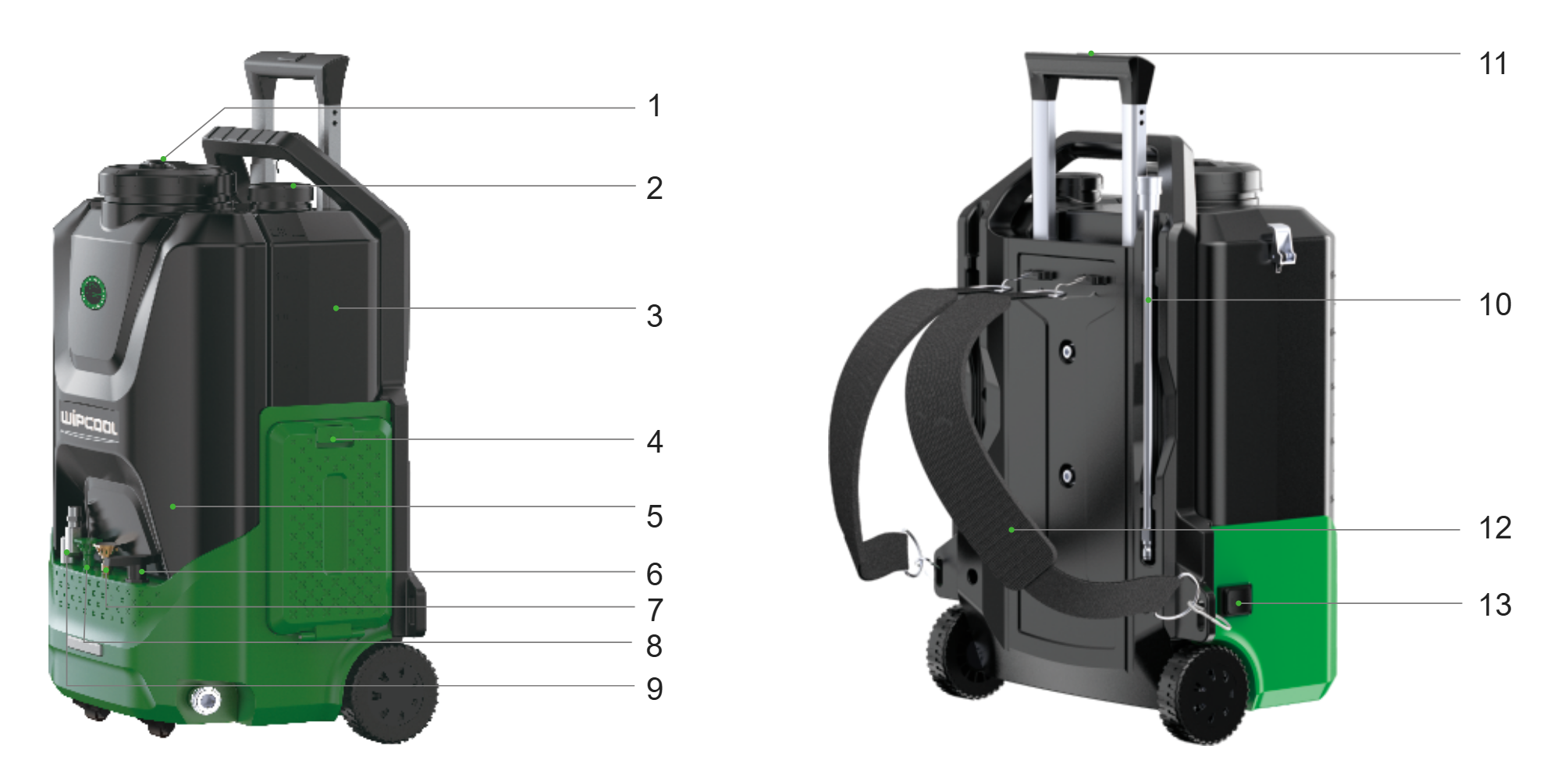
Unit diagram
| No. | Name |
|---|---|
| 1 | Clean water tank lid |
| 2 | Chemical tank lid |
| 3 | Chemical tank |
| 4 | Battery cover |
| 5 | Clean water tank |
| 6 | Chemical control valve |
| 7 | 0° point jet nozzle |
| 8 | Foam nozzle |
| 9 | 290° rotating nozzle |
| 10 | 37 cm extension |
| 11 | Telescopic handle |
| 12 | Shoulder straps |
| 13 | Power switch |
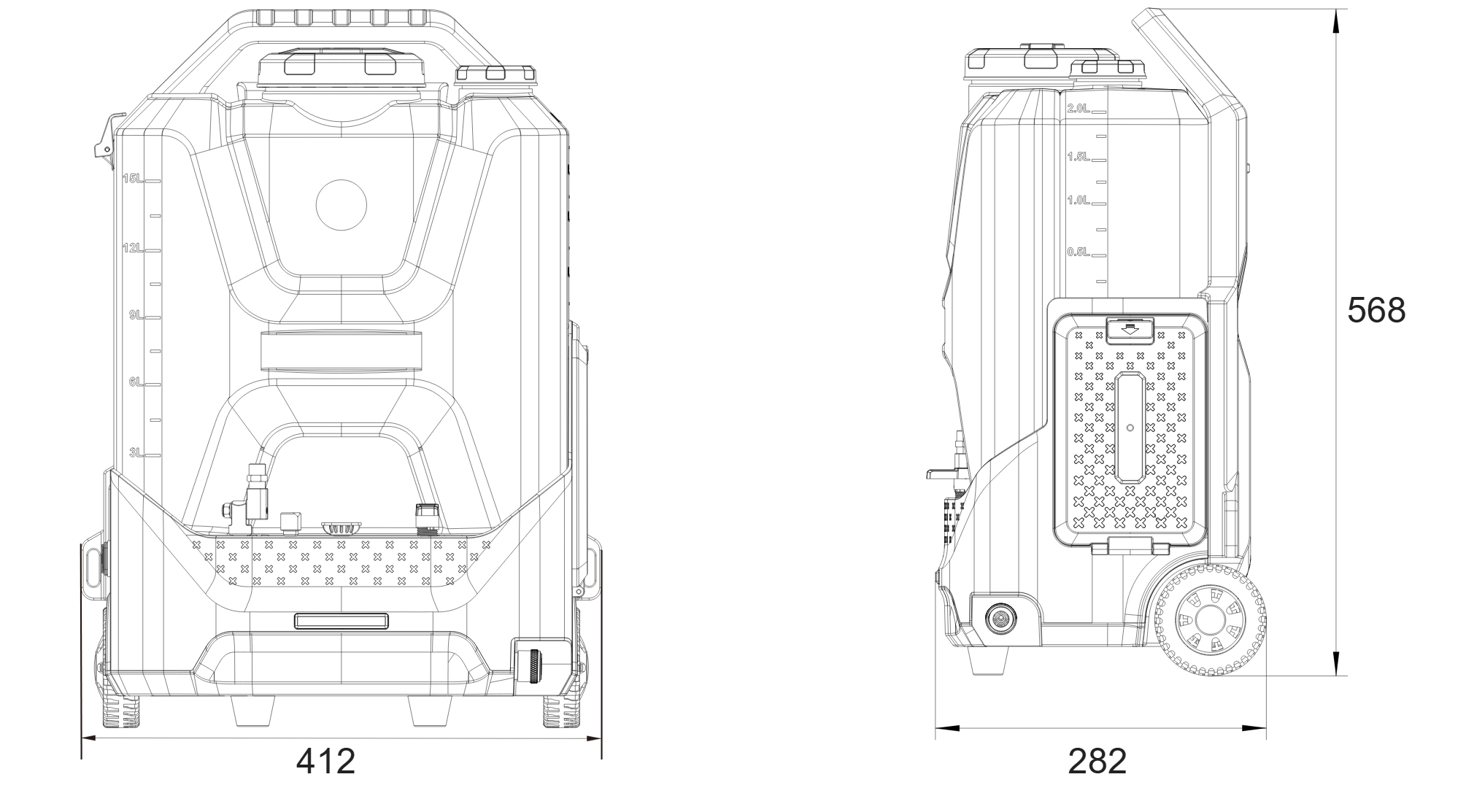
Pressure washer dimensions
Transport and storage
Protect the pressure washer from frost. Water frozen in the pump can damage the head and motor.
- ■During transport, secure the pressure washer against movement, shocks and excessive vibration. Protect the battery socket from moisture and the pressure washer from dust.
- ■Use the telescopic handle and wheels or the shoulder straps to move the unit.
- ■Store the pressure washer indoors, upright, in a dry, well-ventilated place away from direct sunlight and heat sources. Storage temperature: 5–40 °C.
- ■Before long-term storage, carry out the steps described in ‘Finishing work’. Before using the pressure washer again after a long period of inactivity, flush it with clean water.
For periods of inactivity shorter than one week, liquid may remain in the tanks if the specified storage conditions are maintained.
Application
The pressure washer is used to rinse evaporators and condensers, remove dust, deposits and dirt from fins, and clean drain pans, housings and covers of air conditioning units. Its built-in tanks and battery power allow operation in locations without access to running water or electricity.
Connection
After unpacking, check that the set is complete and in good condition. Report any missing items or transport damage to the seller.
Before preparing the pressure washer, set the power switch to ‘O’ and remove the battery or disconnect the BC-18 converter.
- 01Check the condition of the unit, inlet filter, spray gun head and accessories. Check that the outlet hose is not worn or kinked, that the nozzles are clear and not worn, and that the connections, screws and fastenings are tight.
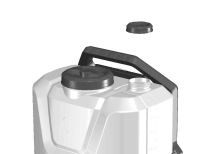
- 02Fill the clean water tank. If necessary, prepare a mild cleaning product in the chemical tank; close the chemical control valve.
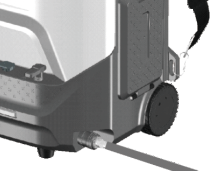
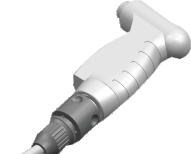
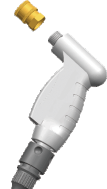
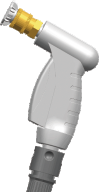
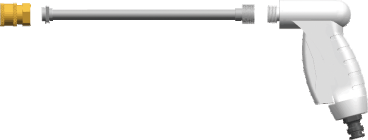
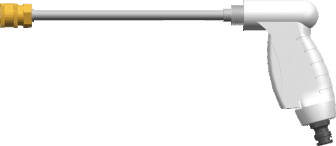
- 03Connect the outlet hose to the pressure washer and spray gun, and screw in the nozzle connector. Fit the selected nozzle and, if required, the 37 cm extension. Check that the parts are securely fitted.
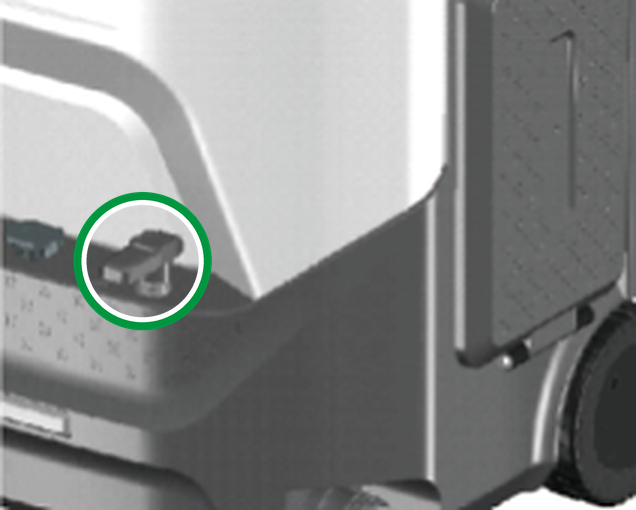
- 04Check that the battery socket is dry, then fit a compatible, charged 18 V battery with an AEG/RIDGID socket or a suitable adapter.
Operation
Bleeding air
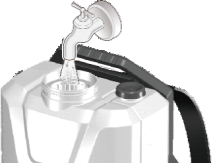
- 01Make sure the chemical control valve is closed. Point the spray gun into the clean water tank and switch on the pressure washer by setting the power switch to ‘-’.
- 02Press the spray gun trigger and maintain the flow until the water comes out in a steady stream. Release the trigger to stop the flow.
Cleaning
- 01Select the pressure to suit the components being cleaned: for more delicate evaporators and fins in indoor units, set the power switch to ‘-’ (3–5 bar); for more heavily soiled condensers and outdoor units, set it to ‘=’ (7–10 bar). Point the spray gun at the component being cleaned and press the trigger to start cleaning.
Using chemicals and selecting a nozzle
To apply foam, fit the foam nozzle and open the chemical control valve to dispense the product with clean water at a ratio of 1:3. Close the chemical control valve to clean with water only. For other tasks, select the 0° point jet nozzle or the 290° rotating nozzle.
Finishing work
- 01After use, run clean water through the unit to flush the pump and chemical control valve.
- 02Set the power switch to ‘O’, remove the battery or disconnect the BC-18 converter and press the spray gun trigger to release the pressure in the outlet hose.
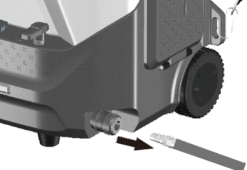
- 03Disconnect the outlet hose. Before a period of inactivity longer than one week, empty the clean water tank and the chemical tank.
- 04Clean the pressure washer and accessories before storage.
Maintenance
General recommendations
Clean the housing with a mild cleaning agent, such as a small amount of soap. Do not use alcohol, petrol, solvents, corrosive substances or strong detergents. Do not allow the cleaning agent to enter the electrical components or the inside of the housing.
Maintenance procedure
- 01Before maintenance, switch off the pressure washer, disconnect the power supply and release the pressure as described in ‘Finishing work’.
- 02Regularly remove debris from the inlet filter and the spray gun head.
- 03For maintenance, empty both tanks and rinse them with clean water.
- 04Check the condition of the unit and accessories and make sure the inlet filter is correctly fitted. If there is no damage, prepare the pressure washer as described in ‘Connection’ and check its operation with water.
Troubleshooting
Before inspecting, cleaning or replacing parts, switch off the pressure washer, disconnect the power supply and release the pressure as described in ‘Finishing work’.
| Problem | Possible cause | Solution |
|---|---|---|
| Pressure washer does not start | Low battery charge | Fit a compatible, charged battery. |
| Pressure washer does not start | Ambient temperature below 5 °C | Move the pressure washer to a warmer place where the temperature is within the operating range of 5–50 °C. |
| Pressure washer runs but does not pump water | Blocked water inlet | Remove debris from the inlet filter. |
| Pressure washer runs but does not pump water | Ambient temperature below 5 °C | Move the pressure washer to a warmer place where the temperature is within the operating range of 5–50 °C. |
| Pressure washer runs but does not pump water | Pump self-priming problem | Have the unit repaired by the service team - submit a service request at wipcool.pl/serwis. |
| Pressure washer runs but does not pump water | Debris inside the system | Have the unit repaired by the service team - submit a service request at wipcool.pl/serwis. |
| Water leaks | Loose connection | Check the connections between the components and tighten them. |
| Pressure washer operates noisily | Damaged internal components | Have the unit repaired by the service team - submit a service request at wipcool.pl/serwis. |
| Low or unstable pressure | Debris in the hoses | Flush the hoses with clean water as described in ‘Finishing work’. |
| Low or unstable pressure | Worn nozzle | Replace the nozzle. |
| Low or unstable pressure | Blocked nozzle | Clean the nozzle opening. |
| Low or unstable pressure | Insufficient water | Top up the water in the tank. |
| Low or unstable pressure | Air being drawn into the system | Top up the water and check the system for leaks. |
| Low or unstable pressure | Blocked vent hole in the clean water tank lid | Clean the vent hole. |
| Low or unstable pressure | Water temperature too high | Add cooler water to lower the temperature. |
| Low or unstable pressure | Low battery charge | Fit a compatible, charged battery. |
| Motor runs after the trigger is released | Air in the system | Bleed air from the pressure washer as described in ‘Bleeding air’. |
| Motor runs after the trigger is released | Leaking spray gun or pump | Check the spray gun and pump for leaks. Have the unit repaired by the service team - submit a service request at wipcool.pl/serwis. |
| Motor stops suddenly | Empty tank | Switch off the pressure washer and top up the water. |
| Motor stops suddenly | Power switch turned off | Turn on the unit using the switch. |
| Motor stops suddenly | Problem with automatic pump shut-off | Have the unit repaired by the service team - submit a service request at wipcool.pl/serwis. |
Waste electrical and electronic equipment
- 01The crossed-out bin symbol means that the unit must not be disposed of with other waste at the end of its life.
Under the applicable regulations on waste electrical and electronic equipment, products marked with the separate collection symbol must not be disposed of with other municipal waste. Due to their hazardous substance content, electronic products that are not separately sorted may be harmful to the environment and human health. Proper separate collection of waste electrical and electronic equipment prevents adverse effects on the environment.
By taking waste equipment to a collection point, the user contributes to its reuse, recycling and recovery.
Recycling - one method of protecting the environment. The process of recovering substances from waste that can be reused as raw materials.
Recovery - the use of waste that has lost its useful value, such as plastics, paper and cardboard, as secondary raw materials; the term is also commonly used to mean destruction of waste.
Information on the collection system for waste electrical and electronic equipment
- ■Waste electrical and electronic equipment must not be disposed of with other waste.
- ■The collection of incomplete electrical and electronic equipment and parts from waste equipment is prohibited.
- ■A distributor supplying household equipment to a purchaser must collect waste household equipment free of charge at the place of delivery, provided that the waste equipment is of the same type and performs the same function as the equipment supplied.
- ■The user may hand over waste equipment to a waste equipment collector, a treatment facility or a municipal waste collector in the municipality.
- ■Information on collection points is available on the BIP websites of regional, city and municipal authorities.
Service and documents
Before submitting a request, have the following ready:
- ■Model - shown on the unit rating plate and on the invoice.
- ■Serial number - if there is none, provide the production number (e.g. 11/2025), usually found on the underside of the unit.
- ■Proof of purchase - an invoice or receipt from an authorised distributor.
- ■Description of the fault - what is happening, when it started and under what conditions.
You can submit a service request at wipcool.pl/serwis. The warranty terms are also available there.