
 Distribution PL · 4REF
Wipcool AVD24 user manual
Read the entire manual before first use. Keep it for as long as you use the device.
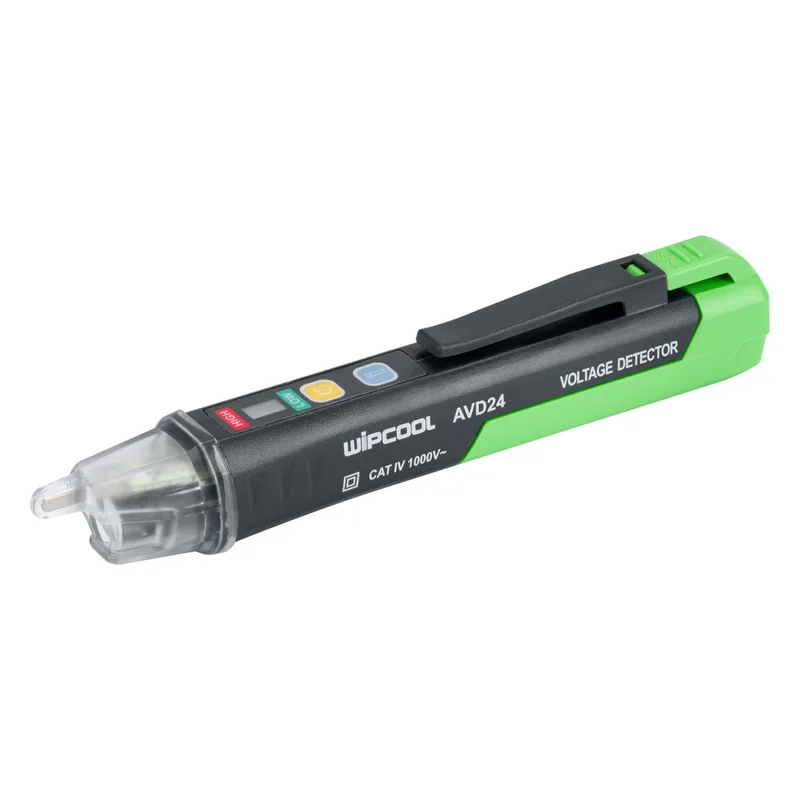
Wipcool AVD24 user manual
The Wipcool AVD24 non-contact voltage detector is used to detect alternating voltage. It has a built-in torch and audible and visual alarms.
The user manual is an integral part of the product. Please read this manual carefully and follow all instructions closely.
General information
Wipcool products are designed for professional use by qualified air conditioning and refrigeration engineers. As the manufacturer, Wipcool stipulates that our devices should only be operated by suitably qualified and trained persons.
- ■Observe all local safety regulations and general safety standards when using the Wipcool AVD24 non-contact voltage detector.
- ■The user manual should be kept near the device so that personnel can access it easily at any time.
- ■Before use, qualified personnel should read the user manual carefully and understand all the instructions it contains.
- ■The manufacturer accepts no liability for any damage resulting from improper use, failure to follow the user manual, lack of personnel qualifications or any unauthorised modifications to the device.
- ■The general terms of sale contained in the sales documents apply.
Symbols and conventions
Symbols and markings used on the device and in the manual:
- 01
 Protection by double or reinforced insulation.
- 02~Alternating current (AC).
- 03
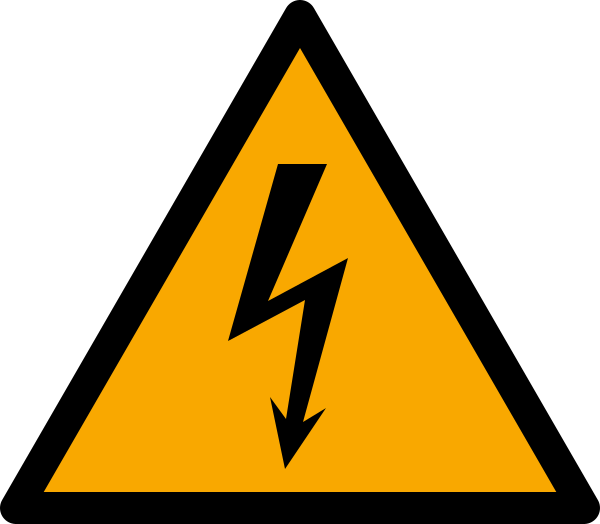 Dangerous voltage - risk of electric shock.
- 04
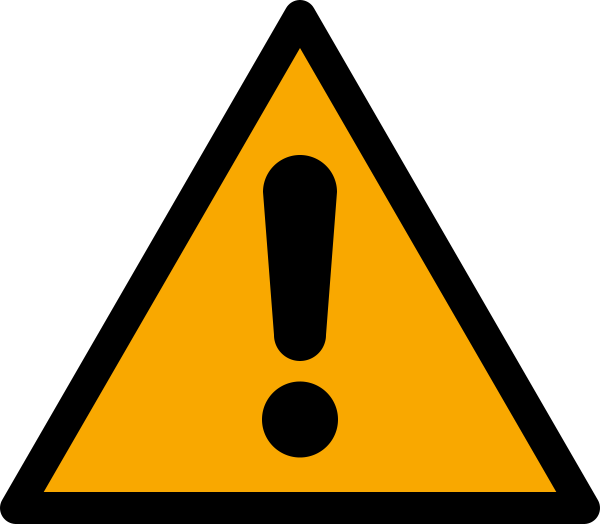 Warning - read the text in the box next to the symbol.
- 05
 Indicates that the product meets the health, safety and environmental standards applicable in the European Union.
- 06CAT IVCategory covering measuring and test circuits connected at the source of a building's low-voltage installation.
- 07
 Notice - risk of damage to the device or an incorrect result.
- 08
 Tip - advice on operation.
- 09
 Do not dispose of the detector with household waste.
NCV means non-contact voltage detection.
Safety information
Using the detector in a manner not specified in the manual may impair the protection provided by the device.
Detection limitations
The result is affected by the type of insulation, conductor thickness, distance from the voltage source, conductor shielding, other conductors and socket construction. If in doubt, check for voltage using another method.
The detector does not respond to voltage when the conductor is shielded or the user is not connected to an effective earth.
The detector may also fail to detect voltage when:
- ■you are not holding it in your hand;
- ■you are wearing gloves;
- ■the conductor under test is partially buried or is inside an earthed metal pipe;
- ■the field generated by the voltage source is blocked, attenuated or disturbed;
- ■the waveform of the voltage being detected is not a pure sine wave and may be distorted by harmonics;
- ■you use the detector outside the conditions specified in the technical specifications.
Technical specifications
Standards: IEC/EN 61010-1, IEC/EN 61010-2-030, IEC/EN 61326-1, IEC/EN 61326-2-2.
Device diagram
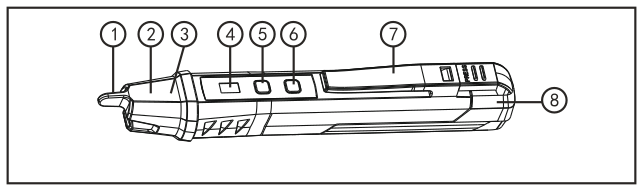
| No. | Name |
|---|---|
| 1 | NCV sensor head |
| 2 | Torch |
| 3 | Detection indicator LED |
| 4 | Mode indicator light |
| 5 | Power button |
| 6 | Torch button |
| 7 | Pocket clip |
| 8 | Rear casing |
Buttons
| Button | Function |
|---|---|
| Power button (no. 5) | Switches on the detector and selects the sensitivity mode; switching off is described in ‘Finishing the measurement’. |
| Torch button (no. 6) | A short press switches the torch on or off. |
Contents
After unpacking, check that all items are present and in good condition. Report any missing items or damage to the seller.
| Item | Quantity |
|---|---|
| AVD24 detector | 1 pc. |
| User manual | 1 pc. |
Storage
Store the detector in a dry place, away from direct sunlight and heat sources, at a temperature of -20–+50 °C.
Application
In normal-sensitivity mode, the detector indicates voltage in the mains supply and three-phase installations, for example in distribution boards and electrical equipment.
In high-sensitivity mode, the detector indicates lower AC voltages, for example in motors supplied at less than 90 V, sound systems, arc welders and mine lighting. This mode also enables voltage detection in cables with thick insulation.
How to use
Before first use, insert the batteries as described in ‘Replacing the batteries’ (MAINTENANCE section).
Switching on and selecting the sensitivity mode
- 01Briefly press the power button (no. 5). The buzzer will sound twice and the mode indicator light will turn red. The detector will start in normal-sensitivity mode.
- 02To select high-sensitivity mode, briefly press the power button again. The light will turn green. Another short press restores normal-sensitivity mode.
Detecting AC voltage
- 01Place the NCV sensor head (no. 1) near the object or socket under test.
- 02Watch the detection indicator LED and listen for the buzzer. When voltage is detected, the red detection indicator LED (no. 3) and the buzzer will activate. The flashing and beeping frequency increases as the detector approaches the object.
Automatic switch-off
The detector will switch off automatically after approximately 5 min of inactivity. The torch will switch off automatically after 5 min of detector inactivity.
Low battery
When the low battery indication appears, replace the batteries as described in ‘Replacing the batteries’ (MAINTENANCE section).
Finishing the measurement
Move the detector away from the object under test. To switch off the detector, hold the power button for 2 s.
Maintenance
Cleaning
Clean the casing with a soft, damp cloth and mild detergent. Do not use abrasives or solvents. Do not use alcohol or corrosive agents.
Replacing the batteries
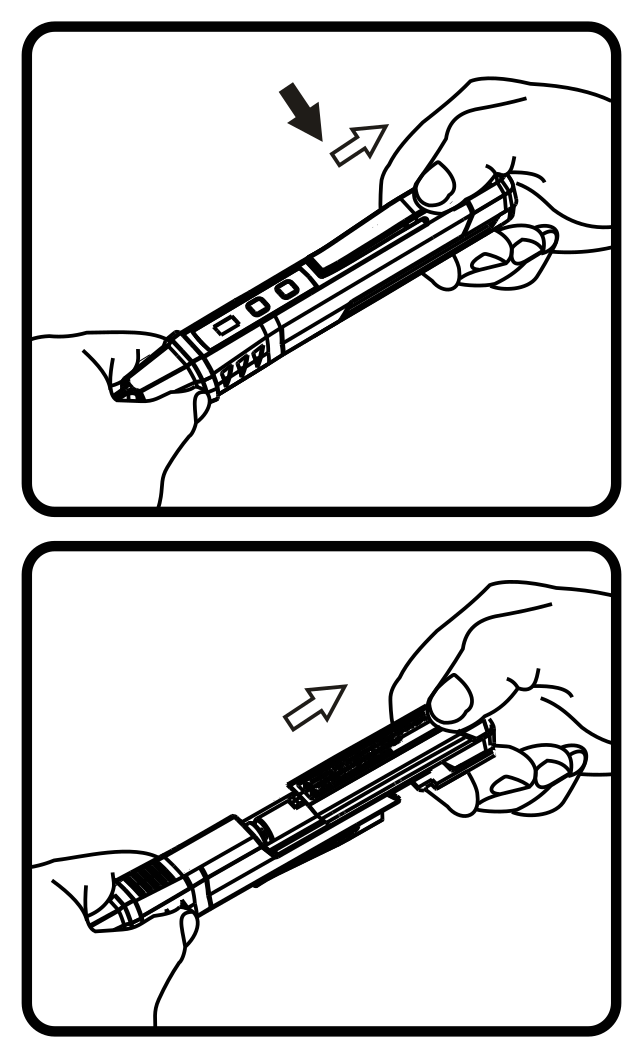
- 01Hold the detector in one hand and press the battery compartment latch with the thumb of your other hand.
- 02Pull out the rear casing in the direction shown in figure 2 and remove the used batteries.
- 03Insert the batteries according to the polarity markings.
- 04Slide the rear casing back into place to close the battery compartment, and test the detector on a known, working AC voltage source as described in ‘Detecting AC voltage’.
Troubleshooting
| Problem | Possible cause | Solution |
|---|---|---|
| Detector does not switch on | Flat batteries | Replace the batteries as described in ‘Replacing the batteries’. |
| Detector does not switch on | Batteries inserted incorrectly | Check the battery positions as described in ‘Replacing the batteries’. |
| No response to the conductor under test | Conductor is not live | Check for voltage using another method. |
| No response to the conductor under test | Detector is switched off | Switch on the detector. |
| False alarms | Strong electromagnetic interference nearby | Move away from sources of interference, such as transformers or electric motors. |
| Torch does not work | Flat batteries | Replace the batteries. |
| Low detection sensitivity | Depleted batteries | Replace the batteries. |
| Low detection sensitivity | Dirty NCV sensor head | Clean the NCV sensor head with a soft, dry cloth. |
If the detector still does not work properly after these steps, stop using it. Have it repaired by a service centre - submit a request at wipcool.pl/serwis.
Waste electrical and electronic equipment
- 01The crossed-out bin symbol means that the device must not be disposed of with other waste at the end of its life.
Under applicable regulations on waste electrical and electronic equipment, products marked with the separate collection symbol must not be disposed of with other municipal waste. Because they contain hazardous substances, electronic products that are not collected separately may be dangerous to the environment and human health. Proper separate collection of waste electrical and electronic equipment prevents adverse effects on the environment.
By taking waste equipment to a collection point, the user contributes to its reuse, recycling and recovery.
Recycling - a method of protecting the environment. The process of recovering substances from waste that can be reused as raw materials.
Waste recovery - the use (also commonly understood as destruction) of waste that has lost its use value, such as plastics, paper and cardboard, as secondary raw materials.
Information on the waste electrical and electronic equipment collection system
- ■Waste electrical and electronic equipment must not be disposed of with other waste.
- ■Collecting incomplete electrical and electronic equipment and parts from waste equipment is prohibited.
- ■A distributor supplying household equipment to a purchaser must collect waste household equipment free of charge at the place of delivery, provided that the waste equipment is of the same type and serves the same function as the equipment supplied.
- ■The user may hand over waste equipment to a waste equipment collector, a treatment facility or a municipal waste collector in the municipality.
- ■Information about collection points is available on the Public Information Bulletin (BIP) websites of regional marshal offices and city and municipal offices.
Service and documents
Before submitting a request, prepare:
- ■Model - shown on the device rating plate and on the invoice.
- ■Serial number - if there is none, provide the production number (e.g. 11/2025), usually found on the underside of the device.
- ■Proof of purchase - an invoice or receipt from an authorised distributor.
- ■Description of the fault - what is happening, since when and under what conditions.
Submit a service request at wipcool.pl/serwis. You will also find the warranty terms there.
Warranty period: 1 year.