
 Distribution PL · 4REF
Wipcool MRS10 user manual
Read the entire manual before first use. Keep it for as long as you use the device.
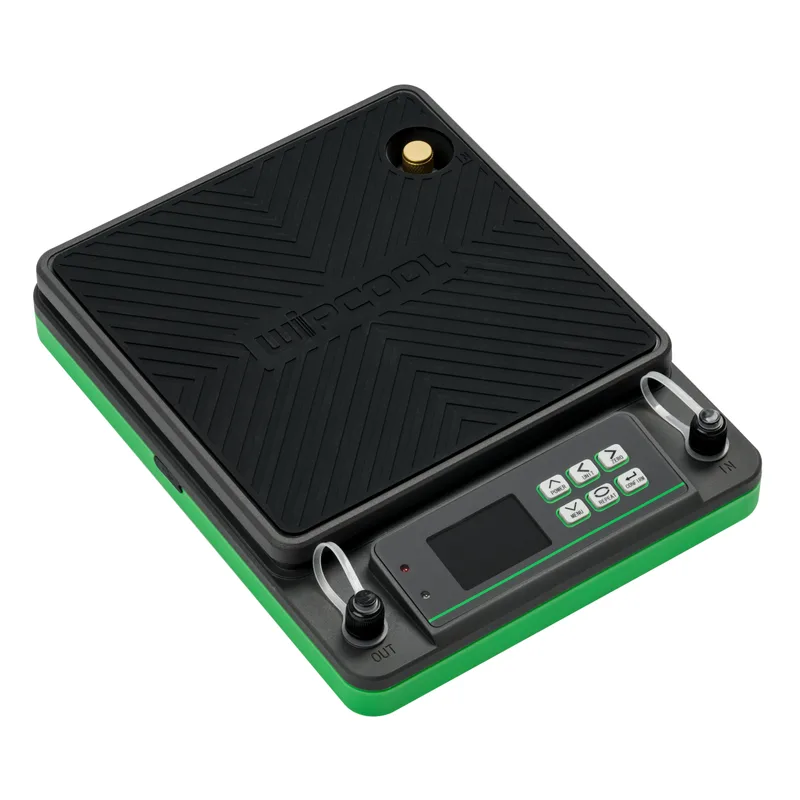
Wipcool MRS10 user manual
The Wipcool MRS10 Refrigerant Charging Scale is used to weigh and monitor the amount of refrigerant during charging and recovery. The CHARGE and RECOVER modes control refrigerant flow through a solenoid valve once a target mass has been set.
The user manual is an integral part of the product. Please read this manual carefully and follow all instructions strictly.
General information
Wipcool products are designed for professional use by qualified air conditioning and refrigeration engineers. As the manufacturer, Wipcool specifies that our equipment should be operated only by suitably qualified and trained persons.
- ■Observe all local safety regulations and general safety standards when using the Wipcool MRS10 scale.
- ■The user manual should be kept near the device so that personnel can access it easily at all times.
- ■Before use, qualified personnel should read the user manual carefully and understand all the instructions it contains.
- ■The manufacturer accepts no liability for any damage resulting from improper use, failure to follow the user manual, lack of qualified personnel or any unauthorised modifications to the device.
- ■The general terms of sale contained in the sales documents apply.
Symbols and conventions
Symbols and markings used on the device and in the manual:
- 01
 Warning - read the text in the box next to the symbol.
- 02
 Hot surface - wait for it to cool before touching.
- 03
 Low temperature - risk of frostbite.
- 04
 Flammable material - risk of fire.
- 05
 Notice - risk of damage to the device or an incorrect result.
- 06
 Before starting work, read all safety and installation instructions carefully.
- 07
 Indicates that the product meets the health, safety and environmental standards applicable in the European Union.
- 08
 Do not dispose of the scale with household waste.
CHARGE means charging mode, and RECOVER means recovery mode.
Safety information
- ■Do not use or store the scale in damp places, at high temperatures or in a strong magnetic field.
Technical specifications
Device diagram
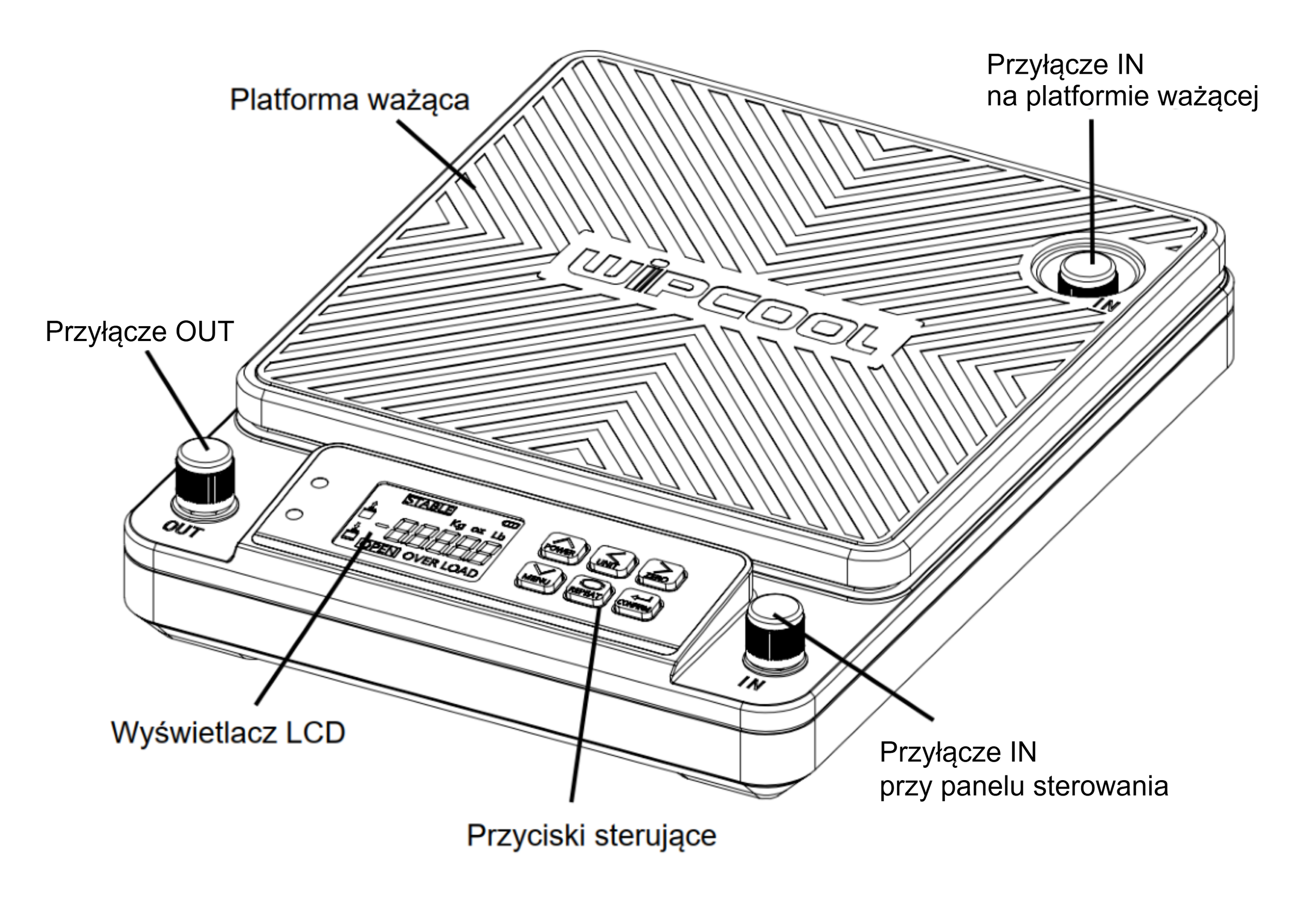
| Connection | Location and use |
|---|---|
| IN on the weighing platform | Connection for the cylinder valve when charging from an inverted cylinder. |
| IN by the control panel | Connection for the hose from the cylinder valve when charging from an upright cylinder. |
| OUT | Connection by the control panel, to the left of the LCD. Connection for the charging hose leading to the system. |
The USB-C port is used to charge the batteries in the scale. The charging indicator shows the charging status.
Display
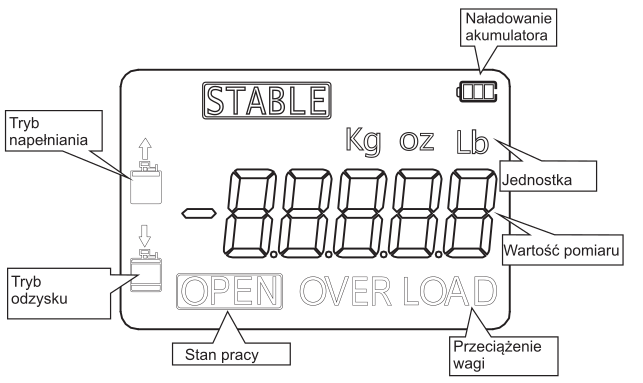
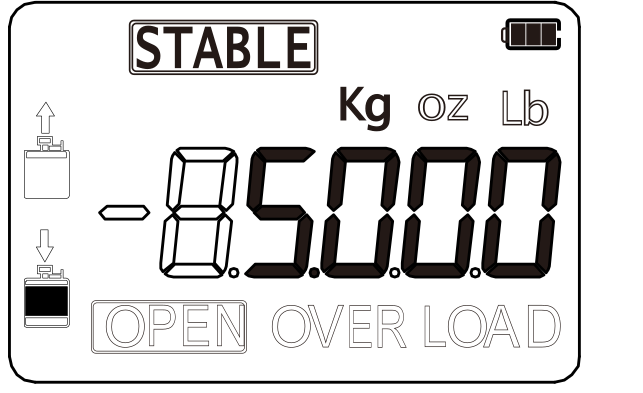
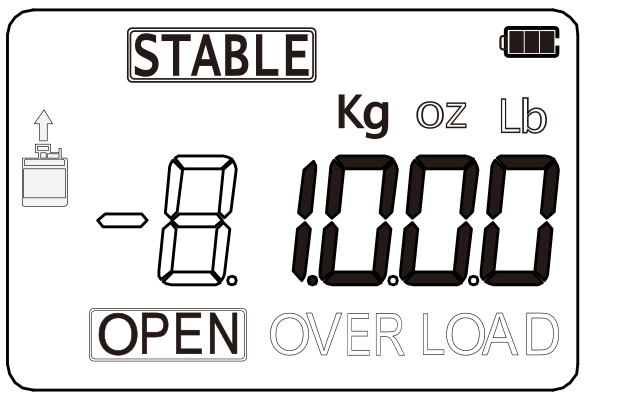
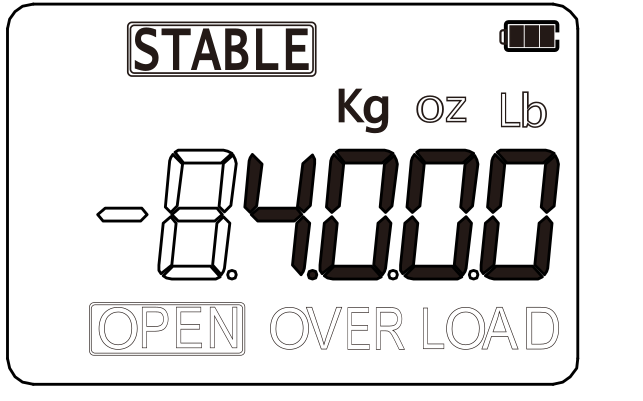
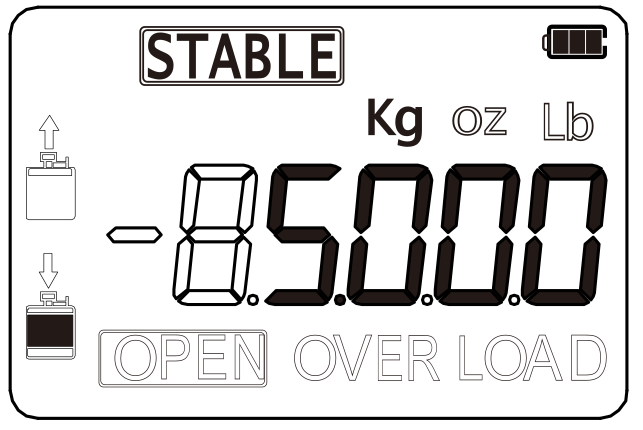
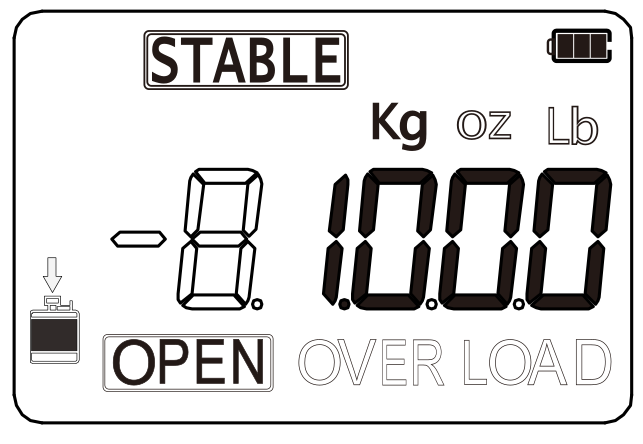
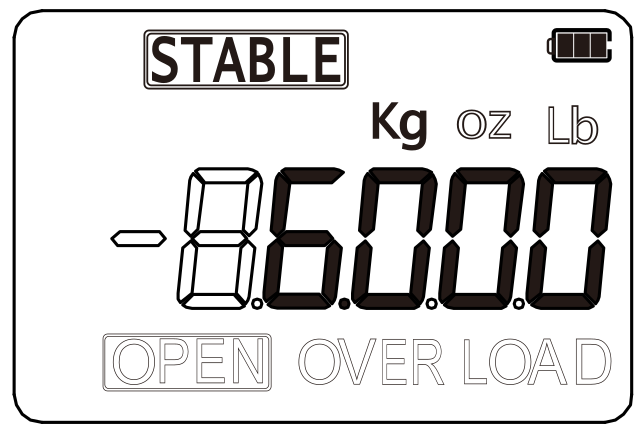
STABLE indicates a stable reading, OPEN indicates that the solenoid valve is open, and OVER LOAD indicates that the scale is overloaded. The charging indicator corresponds to CHARGE mode, and the recovery indicator corresponds to RECOVER mode.
Button functions
- 01
 POWERHold for 3 s to switch the scale on or off. Press briefly to switch the backlight on or off. In settings, it increases the selected digit.
- 02
 MENUHold for 3 s to enter settings. In settings, it switches between CHARGE mode (charging) and RECOVER mode (recovery).
- 03
 ZEROPress briefly to zero the reading. In settings, it selects the digit position.
- 04
 UNITPress briefly to change the unit: kg, oz or lb. In settings, it selects the digit position.
- 05
 CONFIRMStarts charging or recovery after the refrigerant mass has been set. Press again to end the process.
- 06
 REPEATAfter the first cycle is complete, starts charging or recovery with the same refrigerant mass as before.
Contents
- ■MRS10 scale.
- ■3 × Li-ion 18650 batteries, 3.7 V / 2400 mAh.
- ■R290/R600a cylinder valve.
- ■User manual.
After unpacking, check that the set is complete and in good condition. Report any missing or damaged items to the seller.
Transport and storage
- ■Transport the scale in its original packaging.
- ■Store the scale in a dry place, away from direct sunlight and heat sources, at a temperature of -10 to +60 °C.
Connection
Choose one of the two connection methods for charging the system. The charging hose with valve, refrigerant cylinder and second hose for connecting an upright cylinder are not included.
Connecting an inverted cylinder
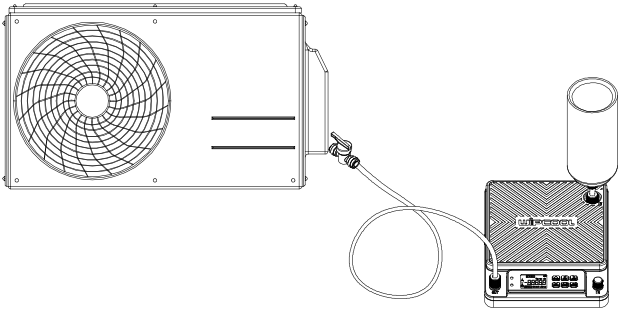
- 01Connect the scale's OUT connection to the system using a charging hose. The valve on the charging hose should be closed.
- 02Fit the cylinder valve and seal to the refrigerant cylinder.
- 03Invert the cylinder and connect the fitted cylinder valve to the IN connection on the weighing platform.
Connecting an upright cylinder
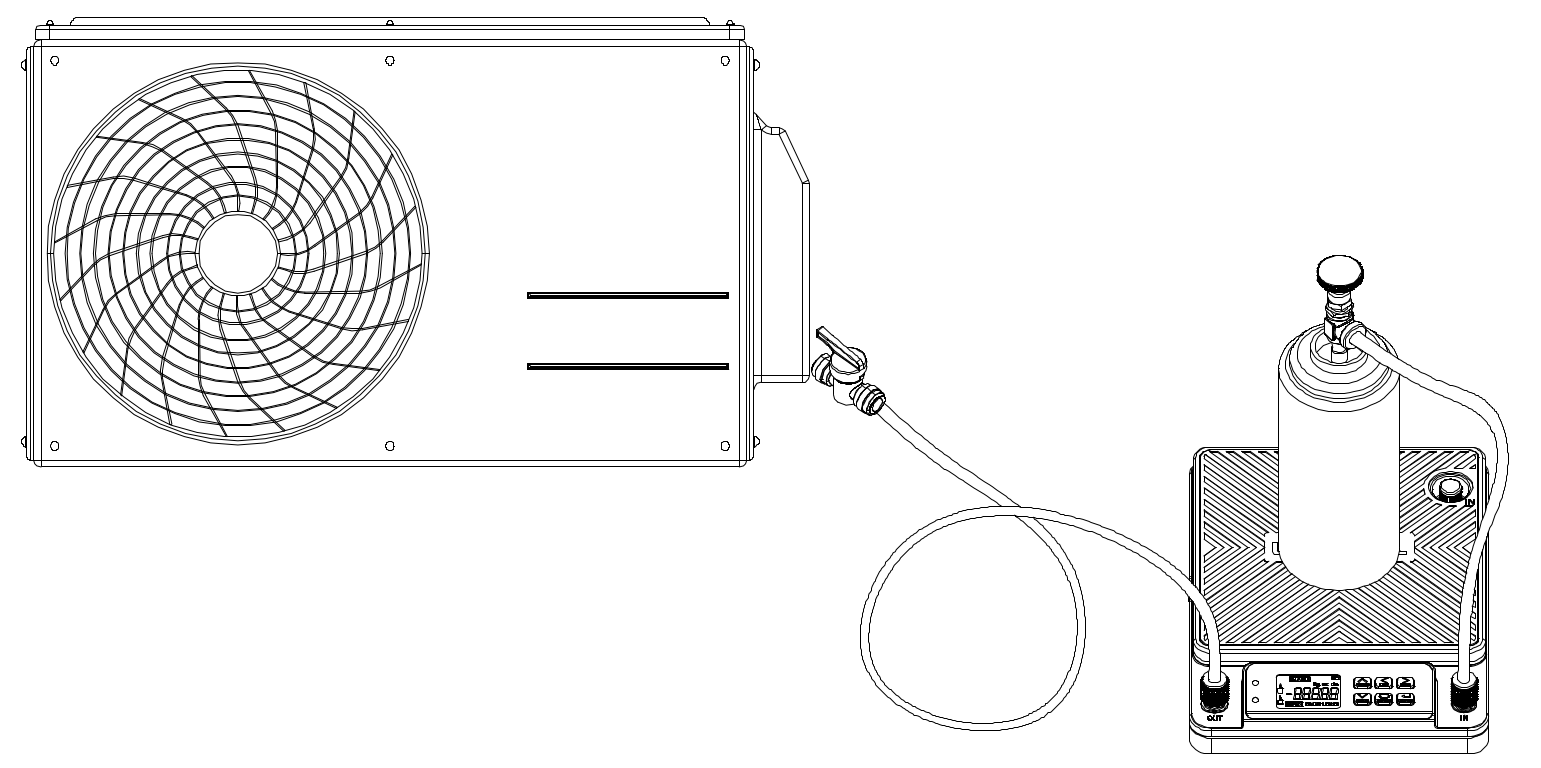
- 01Connect the scale's OUT connection to the system using a charging hose. The valve on the charging hose should be closed.
- 02Fit the cylinder valve to the refrigerant cylinder. The valve must not release refrigerant yet.
- 03Connect the cylinder valve to the IN connection by the control panel using the second hose and place the cylinder on the weighing platform.
- 04Open the cylinder valve to release the refrigerant.
Operation
Charging the batteries
- 01Connect a USB-C cable to the scale's charging port and a USB power source.
- 02Check the charging status on the charging indicator.
Preparing for charging
- 01After connecting the cylinder and hoses, check that all connections are correct and leak-tight.
- 02Switch on the scale and wait for the reading to stabilise. The display will show the combined mass of the cylinder and refrigerant.
Then select either manual charging or charging in CHARGE mode.
Manual charging
- 01Briefly press ZERO to zero the reading.
- 02Charge the system by adjusting the valve on the charging hose and watching the scale reading.
- 03Once the required amount of refrigerant has been transferred, finish work as described in ‘Finishing work’.
In CHARGE and RECOVER modes, the minimum target refrigerant mass is 50 g.
Charging in CHARGE mode
- 01Hold MENU for 3 s, then select CHARGE mode using MENU.
- 02Enter the target mass, e.g. 1 kg as shown on the screens below: select the digit position using ZERO and UNIT, and increase the digit using POWER.
- 03Open the valve on the charging hose and press CONFIRM to start the cycle. The solenoid valve will open and refrigerant will begin to flow.
- 04Once the target amount of refrigerant has been transferred, the solenoid valve will close automatically. The display will show the combined mass of the cylinder and the refrigerant remaining in it.
- 05Finish work as described in ‘Finishing work’.
Recovery in RECOVER mode
- 01Place the cylinder on the weighing platform and check that all connections are correct and leak-tight.
- 02Switch on the scale and wait for the reading to stabilise.
- 03Hold MENU for 3 s, then select RECOVER mode using MENU.
- 04Enter the target mass, e.g. 1 kg as shown on the screens below: select the digit position using ZERO and UNIT, and increase the digit using POWER.
- 05Press CONFIRM to start the cycle. The solenoid valve will open and refrigerant will begin to flow.
- 06Once the target amount of refrigerant has been recovered, the solenoid valve will close automatically. The display will show the combined mass of the cylinder and the refrigerant inside it.
- 07Finish work as described in ‘Finishing work’.
Finishing work
After charging:
- 01Close the valve on the charging hose. If using an upright cylinder, also close the cylinder valve.
- 02Disconnect the charging hose from the system and switch off the scale.
After recovery, close the system valves and switch off the scale.
Maintenance
Batteries
Charge the batteries regularly and switch off the scale after each use. Remove the batteries from the scale before extended storage.
Cleaning the device
Clean the surface of the scale only with a damp cloth and a small amount of mild detergent. Do not use chemical solvents or aggressive cleaning agents.
Troubleshooting
| Problem | Possible cause | Solution |
|---|---|---|
| Scale does not switch on | No power | Check that the batteries are correctly fitted in the scale. |
| Scale does not switch on | Discharged batteries | Charge the batteries in the scale via USB-C. |
| LCD shows no reading or is unreadable | Low battery charge | Charge the batteries in the scale via USB-C. |
| LCD shows no reading or is unreadable | Damaged display | Have the device repaired by the service centre - submit a request at wipcool.pl/serwis. |
Waste electrical and electronic equipment
- 01The crossed-out wheeled bin symbol means that the device must not be disposed of with other waste at the end of its life.
Under applicable regulations on waste electrical and electronic equipment, products marked with the separate collection symbol must not be disposed of with other municipal waste. Because they contain harmful substances, electronic products that are not collected separately may pose a risk to the environment and human health. Proper separate collection of waste electrical and electronic equipment prevents adverse effects on the environment.
By taking waste equipment to a collection point, the user contributes to its reuse, recycling and recovery.
Recycling - one method of protecting the environment. The process of recovering substances from waste that can be reused as raw materials.
Recovery - the use (also commonly understood as destruction) of waste that has lost its useful value, such as plastics, paper and cardboard, as secondary raw materials.
Information on the collection system for waste electrical and electronic equipment
- ■Waste electrical and electronic equipment must not be disposed of with other waste.
- ■The collection of incomplete electrical and electronic equipment and parts from waste equipment is prohibited.
- ■A distributor delivering household equipment to a purchaser must collect waste household equipment free of charge at the place of delivery, provided that the waste equipment is of the same type and performs the same function as the equipment delivered.
- ■The user may hand over waste equipment to a waste equipment collector, a treatment facility or a municipal waste collector in the municipality.
- ■Information on collection points is available on the BIP websites of regional authorities and city and municipal offices.
Batteries and rechargeable batteries
- 01The crossed-out wheeled bin symbol on a battery or rechargeable battery means that it must be collected separately from other waste at the end of its life. It must not be disposed of with municipal waste.
- ■Take used batteries and rechargeable batteries to a collection point. If possible, remove them from the device before taking it for collection.
- ■Substances in batteries can harm the environment and health, especially if a battery is damaged or leaking. Separate collection allows them to be processed safely and raw materials to be recovered.
- ■The marking Cd or Pb below the bin symbol means that the battery contains more than 0.002% cadmium or more than 0.004% lead.
Service and documents
Before submitting a request, prepare:
- ■Model - found on the device's nameplate and on the invoice.
- ■Serial number - if there is none, provide the production number (e.g. 11/2025), usually found on the underside of the device.
- ■Proof of purchase - an invoice or receipt from an authorised distributor.
- ■Description of the fault - what is happening, when it started and under what conditions.
You can submit a service request at wipcool.pl/serwis. The warranty terms are also available there.